
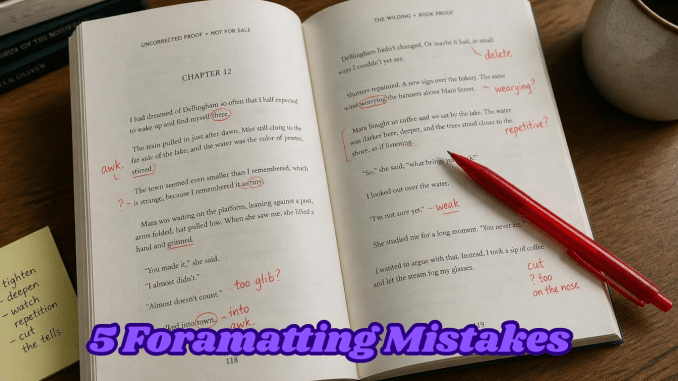
After more than 30 years in publishing, I’ve noticed something about the books that run into trouble. The problems are rarely in the writing. They’re in the production: the formatting, the margins, the cover, the files. And almost all of them can be caught before you hit publish.
Here are the five I see most often.
1. Laying out pages with spaces, tabs, and the Enter key
Most manuscripts start life in Word, and most authors use the tools they know: tapping the space bar to centre a title, pressing Tab to indent paragraphs, and hitting Enter a dozen times to start a new chapter on a fresh page.
In Word, it looks fine. On a Kindle, it falls apart. Ebooks are reflowable, which means every reader chooses their own font, text size, and screen. Those manual spaces and line breaks don’t adjust. The result is uneven gaps, blank pages, titles sitting off-centre, and chapters starting halfway down a screen. Readers notice, and some will mention it in reviews.
How to check: turn on Word’s formatting marks (the ¶ button). If you see rows of dots, arrows, or stacked paragraph marks doing the work of layout, the file needs cleaning before it’s converted. Indents, spacing, and page breaks should come from styles, not keystrokes.
2. Inside margins that are too narrow for the page count
In a printed book, part of every page curves into the spine. The thicker the book, the more of the page disappears into that curve. This is why Amazon KDP sets minimum inside margins (the gutter) that grow with page count. A book of up to 150 pages needs at least 0.375 inches. Between 151 and 300 pages, it’s 0.5 inches, and it keeps rising from there.
Get it wrong and one of two things happens. Either KDP rejects the file, or worse, it accepts it and your readers end up prying the book open to read the ends of lines.
How to check: know your final page count and trim size before you set margins, and compare them against KDP’s current requirements. If the page count changes during editing, check again.
3. Designing the cover before the interior is final
A paperback cover isn’t just a front image. It’s one wide file: back cover, spine, and front cover together. The spine’s width depends on two things, the page count and the paper type. Cream paper is slightly thicker than white, so the same book will have a wider spine on cream.
If the cover is designed first and the interior changes later, even by a handful of pages, the spine no longer fits. Text drifts off the spine, or the whole cover is rejected. This is one of the most common reasons a paperback gets bounced back during review.
How to check: finalize the interior first, then calculate the spine width from the exact page count and paper choice. Also note that KDP doesn’t allow text on the spine of books under 79 pages, so for a thin book, plan for a blank spine.
4. Images that look fine on screen but print badly
A photo or illustration can look crisp on a monitor and still print blurry. Screens display images at a much lower resolution than print requires. For a printed book, images should be at least 300 DPI at the size they’ll appear on the page.
Images pulled from websites or social media are often far below that. Enlarging them doesn’t help; it just makes the blur bigger.
How to check: look at each image’s pixel dimensions. For an image printed 4 inches wide, you want at least 1,200 pixels across. If you don’t have a higher-quality original, consider whether the image is essential.
5. Skipping the proof copy
The digital previewer is useful, but it isn’t the book. Ordering a printed proof shows you things no screen will: how the cover colours actually print, whether the margins feel cramped in the hand, whether your font is comfortable to read at that size, and whether anything has crept too close to the edge.
A proof costs a few dollars and a week or so of waiting. Finding a problem after readers have bought copies costs considerably more.
How to check: order a proof of every new print edition, and read it as a reader would, not as the author. Then read it again.
The good news
None of these problems are difficult to fix once you know to look for them. They just take time and attention at the stage when most authors are tired and eager to see their book finally out in the world.
If you’d rather hand that part off, I offer formatting, cover design, and Amazon upload services at rates set for authors who’d like to at least break even. My pricing is posted openly, with real examples, on the Self Publishing Services page, and you can see my cover work on the Cover Design Samples page.
Whichever route you take, catch these five before you publish. Your readers will never notice the problems you prevented, and that’s exactly the point.
W. H. Gould has more than 30 years of experience as a writer, editor, and publisher, and runs W. H. Gould Publishing from Nova Scotia.
Leave a Reply